
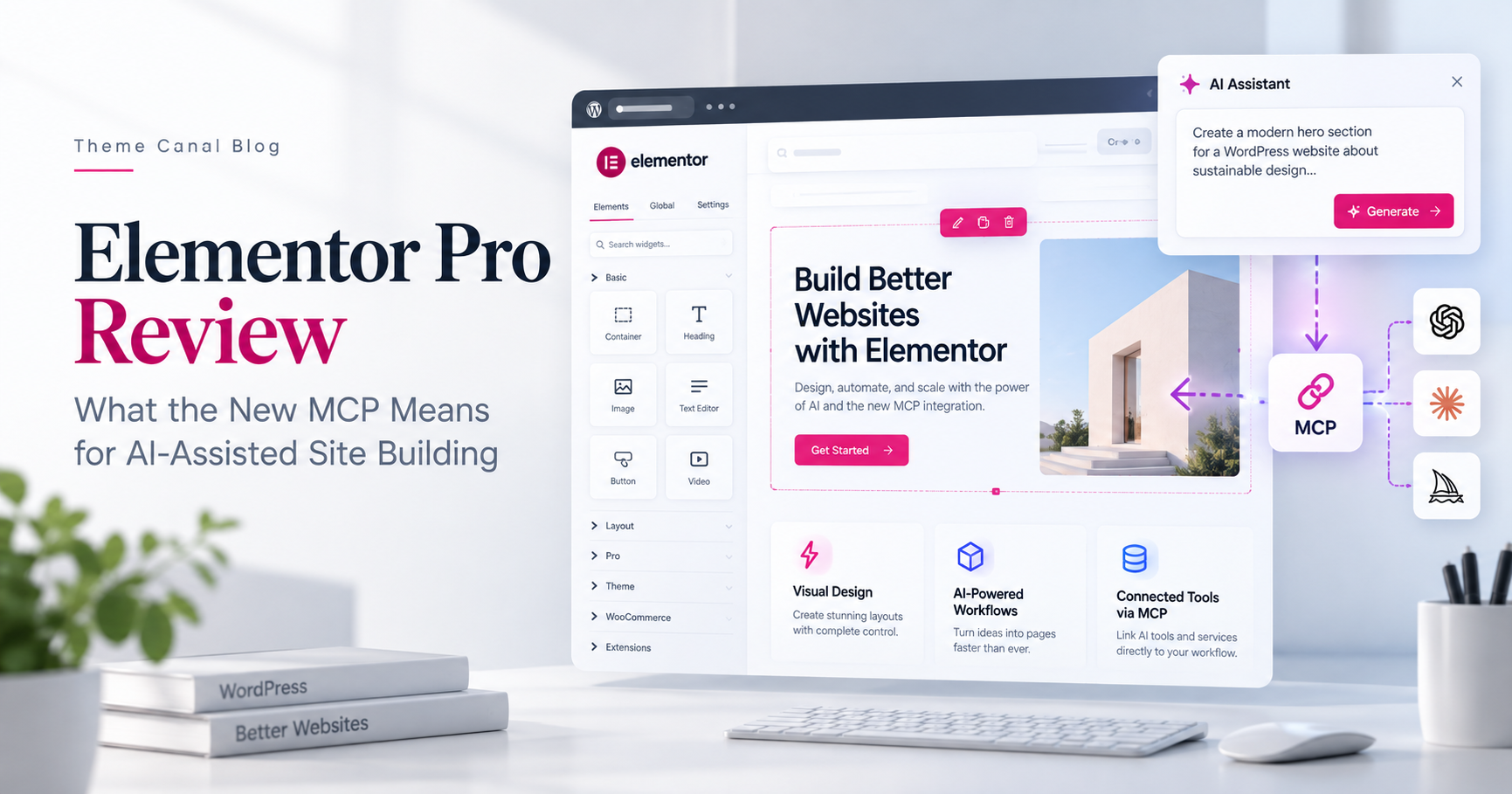
AI has been creeping into WordPress workflows for a while, but the new Elementor MCP changes the relationship in a more interesting way. Instead of asking an AI tool for some HTML, CSS or instructions and then carrying that work into WordPress yourself, compatible AI clients can now connect directly to Elementor and work with the site itself.
For Elementor Pro users, that opens the door to something considerably more useful than another built-in writing assistant. Claude, Codex, Cursor and other MCP-compatible tools can work with native Elementor structure, understand parts of your design system and help create or modify real page layouts that remain editable inside Elementor afterward.
That does not mean the visual editor suddenly becomes unnecessary or that an AI agent should be handed the keys to an entire production site without supervision. What it does mean is that Elementor is beginning to move from an editor you operate entirely by hand toward a workspace that external AI tools can participate in.
What Elementor MCP Actually Is
MCP stands for Model Context Protocol. The acronym sounds more intimidating than the idea behind it.
In practical terms, MCP gives compatible AI applications a structured way to communicate with other software. Elementor’s implementation allows an external AI client to connect to a WordPress site and interact with Elementor rather than simply telling you what to do next.
That distinction is important.
If you ask a normal chatbot to build an Elementor landing page, it might give you copy, CSS, instructions or code that still needs to be transferred into WordPress. With Elementor MCP, the connected AI can work with native Elementor building blocks directly.
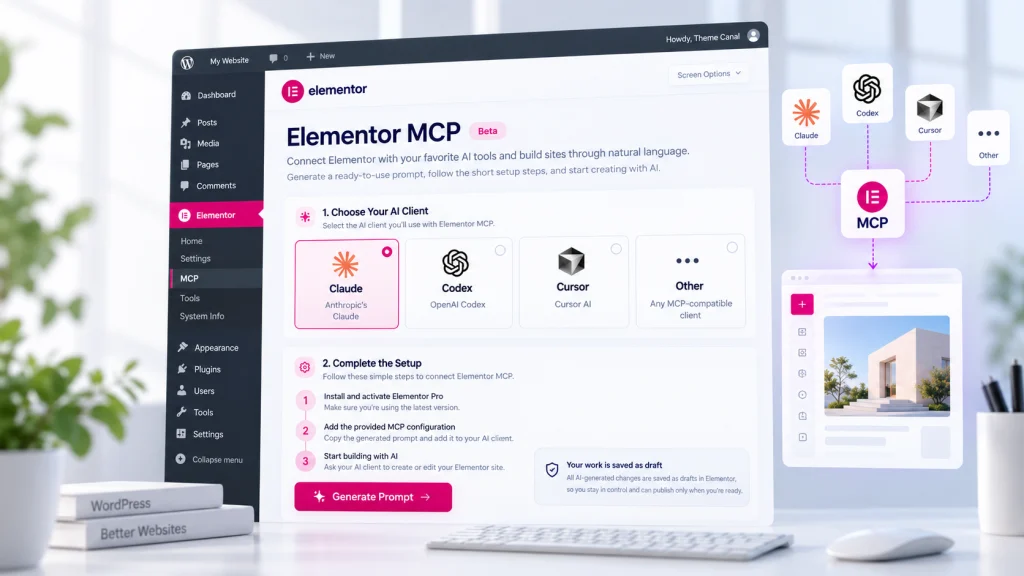
Elementor currently supports connections to tools including Claude Code, Claude Desktop, OpenAI Codex, Cursor and other MCP-compatible clients.
The result is still an Elementor page. You can open it in the visual editor, inspect its structure, change content, adjust responsive settings and continue working normally.
What Elementor Pro Adds to the MCP Workflow
The basic MCP connection is not limited entirely to Elementor Pro, but Pro becomes much more relevant once the AI needs access to the parts of Elementor used for complete site building.
Elementor Pro 4.3 expanded MCP capabilities into areas such as:
- Theme Builder templates for headers, footers, single templates, archives and other site-wide structures
- Popups that can become part of a wider page or campaign workflow
- Components for reusable design structures
- Dynamic content connected to WordPress data
- Pro elements and design features used inside more advanced layouts
This is where MCP starts feeling less like an AI novelty and more like an extension of a professional Elementor workflow.
A landing page is one thing. Being able to work across page layouts, reusable components and Theme Builder structures means an AI assistant can potentially help with pieces that normally require moving through several different areas of the WordPress dashboard.
Connecting an AI Tool to Elementor
Elementor has added a dedicated Elementor MCP area inside the WordPress dashboard for setting up the connection.
The workflow is intentionally fairly simple. An administrator enables MCP access, chooses the AI client they want to use and generates a connection prompt. Elementor handles the application-password portion of the setup in the background and includes the necessary information in that prompt.
You then paste it into the supported AI client.
The connection is created on a per-site basis and Elementor restricts the setup process to site administrators. That is a sensible approach considering that the connected tool is being given the ability to interact with real WordPress content rather than a detached playground.
Why Native Elementor Structure Matters
The genuinely interesting part of Elementor MCP is not that AI can generate a page. AI tools have been capable of producing HTML and website mockups for years.
The useful part is where the result lands.
Elementor MCP works with actual Elementor structure rather than producing a block of disconnected code that sits outside the normal editing workflow. That means a generated section can still behave like something created in Elementor.
You can inspect it. You can move things around. You can replace content. You can change classes, spacing and responsive behavior. Someone else on the project can open the visual editor later and continue working without needing to understand what the AI originally did.
That is particularly important for client projects.
A visually impressive section generated as a giant custom-code blob may be fast today and painful six months later. Native structure gives the finished site a much better chance of remaining maintainable.
From a Brief to a Real Elementor Page
MCP also changes where information can come from before a page is built.
An AI client may already have access to a project brief, reference image, design document, notes or another connected source. Instead of manually translating all of that information into an Elementor layout yourself, the AI can use that context while working with Elementor.
Imagine receiving a landing-page brief containing the page hierarchy, copy, visual references and brand direction. The traditional workflow involves interpreting the brief, creating the structure, adding the content, applying the design system and then refining everything inside the editor.
With MCP, more of the first pass can potentially be handed to the connected AI.
You still review the result, but you begin with an editable page instead of an empty canvas.
This is an important distinction because the useful version of AI-assisted web design is probably not “press one button and publish whatever appears.” It is using automation to remove repetitive assembly work while keeping the decisions that actually benefit from human judgment.

The Draft-First Approach Is a Good Safeguard
Elementor saves MCP-generated work as a draft rather than immediately publishing it.
That might sound like a small implementation detail, but it is one of the more reassuring parts of the feature.
An AI assistant should be able to help assemble a page without automatically turning every instruction into a live production change. Keeping the result in draft form preserves the familiar review step between creation and publication.
There is also conflict handling if Elementor and an AI tool attempt to modify the same page at the same time. Elementor can detect that situation and let the user decide whether to refresh or discard the conflicting work.
In other words, MCP adds another way of working with Elementor rather than replacing the existing editor.
Where the Current Limitations Still Matter
Elementor MCP is new enough that it should be approached as an evolving workflow rather than a magical layer that suddenly understands every Elementor website ever created.
Its current capabilities are closely tied to Elementor’s newer Atomic Editor architecture. Existing sites that rely heavily on older Elementor structures should not assume that every page can immediately be handed over to an AI agent and rebuilt perfectly.
Elementor also notes that editing or redesigning existing Atomic layouts through MCP currently requires Angie.
The AI client itself is another part of the equation. Connecting Elementor through MCP does not provide unlimited AI processing. Whatever tool you connect may have its own subscription, usage limits or credit system.
And there is still the oldest limitation in website automation: generated output needs review.
An AI can assemble a technically valid section and still make a poor typography choice, misunderstand hierarchy, create unnecessary complexity or miss something obvious about the audience. MCP gives the AI better access to the building environment. It does not magically give it taste.
Does Elementor MCP Replace the Visual Editor?
No, and that is probably the wrong way to think about it.
The visual editor remains where you can inspect and refine what has been created. MCP simply gives you another route into the same underlying Elementor project.
For repetitive or clearly described work, prompting an AI client could be faster. For detailed visual decisions, unusual responsive behavior or final polish, working directly in Elementor will often still make more sense.
The interesting workflow is the combination of both.
Let the AI handle some of the initial construction, then take over where human judgment becomes more important.
Who Elementor MCP Is Most Interesting For
For someone building a single brochure site once every few years, MCP may simply be an interesting new feature.
For freelancers, agencies and developers who build WordPress sites repeatedly, the possibilities are much more significant.
Producing first-pass landing pages, translating client briefs into layouts, creating reusable structures, preparing Theme Builder templates and handling repetitive editor work are exactly the kinds of tasks where shaving a few minutes from every step eventually becomes meaningful.
It is also potentially useful for people who already spend much of their day inside tools such as Codex, Claude or Cursor. Instead of treating WordPress as a completely separate destination at the end of the workflow, Elementor can become something the same AI environment is capable of working with directly.
What This Means for Elementor Pro
Elementor Pro has traditionally been valuable because it extends the page builder into a more complete WordPress design system: Theme Builder, dynamic content, forms, popups, WooCommerce tools, custom CSS and the other pieces needed to move beyond individual page layouts.
MCP adds another layer to that idea.
The value of Pro is no longer only that you can manually access more design tools inside the editor. Those tools can now become part of an AI-assisted workflow as well.
That could ultimately make the distinction between a page builder and a broader website-building platform much more noticeable.
Final Thoughts
The Elementor MCP is interesting because it tackles one of the awkward parts of AI-assisted website building: getting AI output back into a system that humans can comfortably continue editing.
Rather than generating isolated code and leaving you to connect the pieces, MCP allows compatible AI tools to participate directly in the Elementor workflow while preserving native, editable structure.
Elementor Pro makes that considerably more useful by extending the workflow into Theme Builder templates, Popups, Components, dynamic content and the other tools used to build complete WordPress sites.
There are still boundaries. The Atomic Editor matters, some editing workflows depend on Angie, external AI tools have their own costs and limitations, and generated work still deserves human review.
But the direction is clear. Elementor is moving toward a workflow where building a website does not always have to begin with dragging the first container onto an empty canvas.
You can increasingly begin with the idea, the brief or the reference material and let AI handle more of the assembly before taking over inside Elementor to finish the parts that actually need you.