
How AI Is Already Changing WordPress, and What Site Owners Should Watch Next
How AI Is Already Changing WordPress, and What Site Owners Should Watch Next


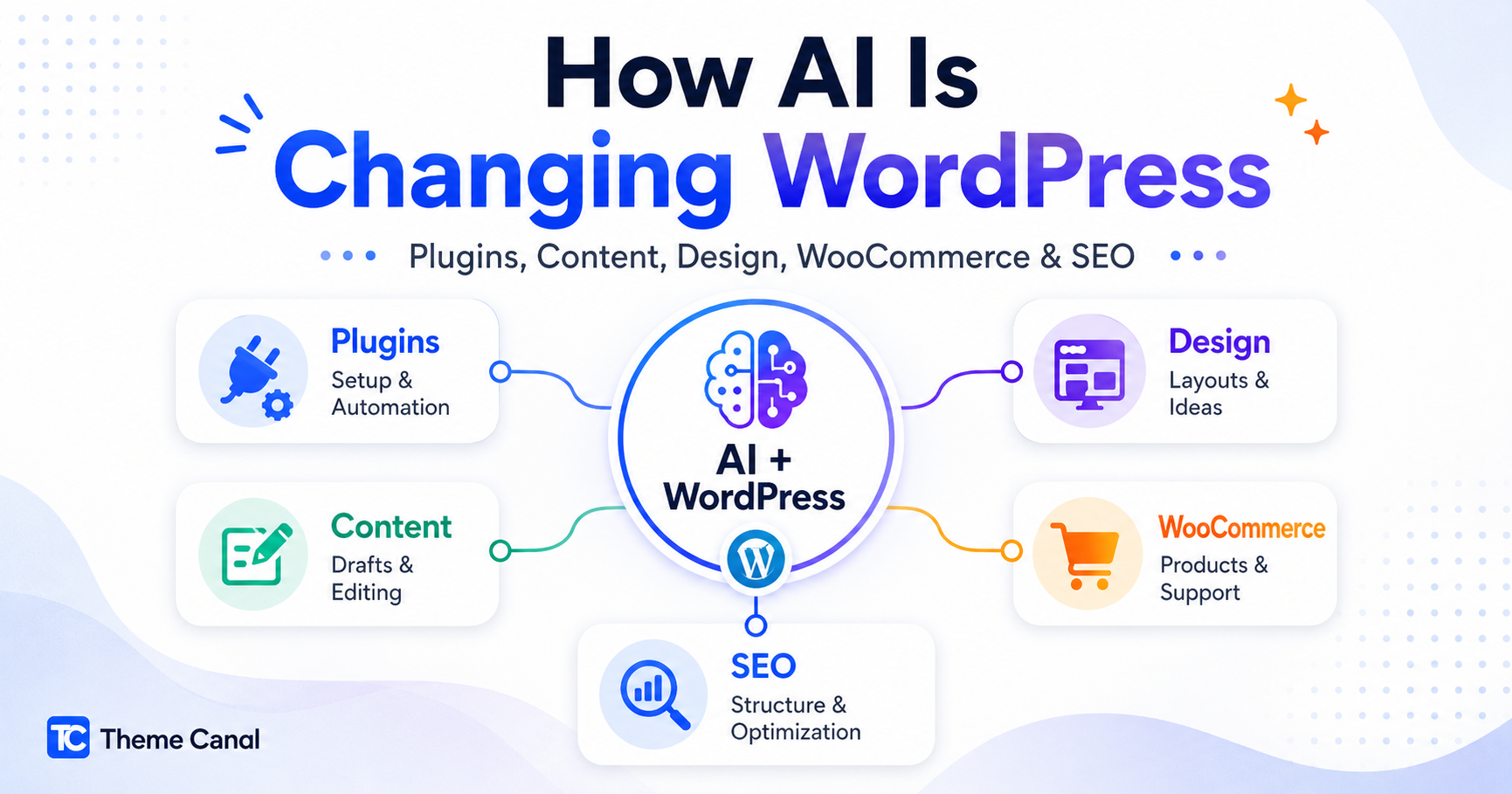
AI changing WordPress is not just a future conversation anymore. It is already starting to affect how WordPress sites are built, edited, managed, optimized, and extended.
Some of that is happening through visible tools, like AI assistants that help with content, images, layouts, and editing. Some of it is happening deeper in the WordPress ecosystem, through new foundations that make plugins, themes, and WordPress core easier for automation and AI tools to understand.
My take is simple: AI is not replacing WordPress. AI changing WordPress is really about changing the workflows around WordPress. For site owners, that means the winning move is not chasing every shiny AI feature. It is building a cleaner, better-structured site that AI tools can actually help improve.
AI Changing WordPress: What Is Happening Now
The biggest mistake is treating AI and WordPress like some far-off future topic. It is already here in practical ways.
WordPress.com has introduced an AI Assistant designed to work inside the editing experience. It can help with ongoing site building, content generation, and editing. That means AI is no longer only something people use outside WordPress to draft content. It is starting to appear directly inside the website workflow.
For everyday site owners, that matters because the WordPress experience is slowly moving from “find the setting, click the option, test the change” toward “describe the change you want, then review and refine the result.”
That does not remove the need for good judgment. It just changes where the work happens. Instead of manually doing every tiny task, site owners may spend more time reviewing, guiding, correcting, and improving AI-assisted changes.
External reference: WordPress.com’s AI Assistant announcement
WordPress Is Also Building AI Foundations
The visible AI tools are only part of the story. The deeper shift is happening underneath the interface.
WordPress is beginning to create building blocks that allow core features, plugins, and themes to describe what they can do in a more structured and discoverable way.
A good example is the Abilities API, introduced in WordPress 6.9. The Abilities API gives WordPress core, plugins, and themes a standardized way to register what they can do. In plain English, it helps WordPress functionality become more discoverable, structured, and usable by other tools.
That may sound developer-heavy, but it matters for regular site owners too. If plugins can describe their features in a clearer, machine-readable way, future tools may be better at helping users configure settings, automate tasks, diagnose problems, and connect different parts of a site.
The WordPress MCP Adapter builds on that idea by connecting registered WordPress abilities to the Model Context Protocol, giving AI agents a more standardized way to interact with WordPress functionality.
External references: Introducing the WordPress Abilities API and Introducing the WordPress MCP Adapter
AI Is Changing Plugin Workflows
I do not think AI will make plugins less important. If anything, it may make good plugins more valuable.
The plugin ecosystem is one of WordPress’s biggest strengths. But it is also one of the areas where users get overwhelmed. There are plugins for SEO, caching, security, forms, ecommerce, design, memberships, product options, search, analytics, and almost everything else.
AI changing WordPress also means plugin workflows are getting easier to understand. Instead of digging through every setting blindfolded with a tiny flashlight, site owners may get clearer guidance about what a plugin does, what settings matter, and where problems may be hiding.
We are already moving toward a world where AI can help with things like:
- Explaining confusing plugin settings in plain language
- Suggesting setup paths based on a site’s purpose
- Helping users understand plugin conflicts
- Summarizing changelogs before updates
- Pointing out overlapping plugin features
- Helping site owners decide whether a plugin is actually needed
- Guiding safer performance and caching decisions
That does not mean site owners should blindly trust every AI suggestion. It means AI may become a better assistant for making plugin decisions.
If you are already reviewing your site setup, our Plugin Guides category is where we are building practical plugin-focused resources. You can also browse WordPress plugins if you already know what kind of tool your site needs.
Content Creation Is Getting Faster, But Not Automatically Better
AI can help create content faster. That part is obvious.
It can help with outlines, rough drafts, meta descriptions, product descriptions, FAQs, category copy, email drafts, and even internal link ideas. For site owners who struggle to get words onto the page, that is genuinely useful.
But faster content is not automatically better content.
The risk is that AI makes it easy to publish generic articles that sound polished but say almost nothing. That kind of content may fill a blog archive, but it does not build trust. It does not show experience. It does not help a reader make a smarter decision.
For WordPress site owners, the better use of AI is not “write everything for me.” It is more like:
- Help me organize what I already know
- Turn rough notes into a clearer draft
- Suggest questions my customers might ask
- Find gaps in a product page
- Improve readability without stripping personality
- Help create better page structure
Google’s guidance still points toward helpful, reliable, people-first content. That means AI can help with the process, but the final article still needs judgment, usefulness, accuracy, and a point of view.
External reference: Google’s guide to helpful, reliable, people-first content
Themes and Design Are Becoming More Guided
AI is also changing how people design WordPress sites.
That does not mean everyone will generate a perfect site from one prompt. Real websites still need structure, brand direction, user experience thinking, mobile testing, accessibility checks, and practical content planning.
But AI can help people get unstuck faster.
For themes and design workflows, AI can help with:
- Generating page section ideas
- Suggesting layout improvements
- Rewriting weak hero copy
- Creating better calls to action
- Explaining design issues in plain language
- Suggesting theme settings based on a goal
- Helping non-designers understand why a page feels cluttered
This is where strong themes still matter. A clean, flexible theme gives AI-assisted tools a better foundation to work with. If the theme is bloated, poorly structured, or difficult to customize, AI is not going to magically fix the foundation.
For design-focused resources, our Themes & Design category is the right place to start. You can also browse our WordPress themes section if your site needs a stronger visual foundation.
WooCommerce Stores May Benefit the Most
WooCommerce is one of the areas where AI could become especially useful because stores have so many moving parts.
A WooCommerce site is not just a website. It is products, categories, payments, shipping, checkout, customer accounts, order emails, coupons, product descriptions, inventory, analytics, and support.
AI can already help store owners with:
- Writing clearer product descriptions
- Improving product category copy
- Suggesting cross-sells and upsells
- Summarizing customer questions
- Finding weak checkout messaging
- Creating better email templates
- Identifying products that need better SEO content
- Helping organize large product catalogs
The important part is control. AI should support the store owner, not invent product claims, fake benefits, or inaccurate details. Product pages need to be accurate, useful, and trustworthy.
For store-specific resources, visit our WooCommerce Guides category. If you are looking for tools to extend your store, browse our WooCommerce Extensions.
Search and SEO Are Changing Too
AI changing WordPress also means search and SEO are changing too.
Traditional search is still important, but more users are getting answers from AI summaries, assistants, chat-based search tools, and recommendation engines. That does not mean SEO is dead. It means SEO is getting less forgiving.
Thin content, vague product pages, missing details, and generic blog posts are not a strong long-term plan.
For WordPress site owners, this makes a few things more important:
- Clear page structure
- Useful product and category descriptions
- Strong internal links
- Updated content
- Visible FAQs when they help the reader
- Schema markup used properly
- Comparison content that helps users decide
- Original commentary based on real experience
AI search systems need clear information to work with. Human readers need the same thing. That is why useful structure, clear answers, and honest detail matter more than ever.
For more optimization-focused articles, visit our SEO & Performance category.
The Risk: More Low-Quality AI Content
The biggest downside of AI in WordPress is not that people will use it. The biggest downside is that people will use it badly.
AI makes it easy to publish more. That does not mean everything should be published.
A site can quickly fill up with articles that are technically readable but not actually useful. That is a problem because readers can feel the difference. They know when a page is just circling keywords. Google’s systems are also designed to reward helpful content, not pages made mainly to game rankings.
Good AI-assisted WordPress content still needs:
- A clear purpose
- Real examples
- Useful explanations
- Accurate details
- Human editing
- Internal links that actually help
- A reason to exist beyond ranking for a keyword
AI can be a great assistant. It is not a substitute for knowing your audience, your products, your site, or your goals.
What WordPress Site Owners Should Do Now
You do not need to rebuild your entire website because AI is becoming more important.
But you should start preparing your site for a more automated, more search-aware, and more workflow-driven future.
Here is what I would focus on first:
- Clean up your plugin stack. Remove tools you no longer use and avoid plugins with overlapping jobs.
- Improve important product and category pages. Add useful details, not just filler text.
- Use structured data properly. Article, Product, FAQ, and Breadcrumb schema can all help when used correctly.
- Write useful support content. Tutorials, comparisons, troubleshooting guides, and setup notes are all worth building.
- Keep themes and plugins updated. AI-assisted workflows will not help much if the foundation is outdated.
- Use AI as an assistant, not autopilot. Let it help with drafts, ideas, structure, and editing, but keep human judgment in charge.
- Make your site easier to understand. Clear navigation, helpful category pages, and internal links matter.
The websites that benefit most from AI will probably not be the ones that publish the most content. They will be the ones with the clearest structure, the strongest information, and the best workflows.
Where Theme Canal Fits In
Theme Canal is focused on practical WordPress tools: plugins, themes, WooCommerce extensions, and resources that help people build better websites without overcomplicating the process.
As AI becomes more connected to WordPress workflows, the quality of your tools will matter even more. A messy site with conflicting plugins, weak theme foundations, and thin content will not become great just because AI is nearby.
A better approach is to build a cleaner foundation first.
AI is already changing WordPress, but the sites that benefit most will still be the ones with useful content, reliable tools, and a structure that makes sense.
Final Thoughts
AI changing WordPress is not about everything being replaced overnight.
It is changing workflows. It is helping with content, design, ecommerce, search, plugin setup, and automation. It is also pushing WordPress toward more structured, AI-ready foundations.
That is good news for site owners who care about clarity, structure, and useful tools.
AI may help steer the ship, but you still need to know where the canal is going.
Common Questions About AI and WordPress
AI is becoming part of the WordPress conversation, but site owners do not need to panic or chase every shiny new tool. Here are a few practical answers.
How is AI currently affecting WordPress?
AI is already affecting WordPress through content editing, image generation, layout suggestions, automation tools, plugin workflows, and AI-ready development foundations like the Abilities API. Some changes are visible inside editing tools, while others are happening deeper in WordPress core, plugins, and developer workflows.
Is AI going to replace WordPress?
No. AI is more likely to change how WordPress sites are built, managed, and optimized. WordPress still provides the content management system, plugin ecosystem, theme system, ownership flexibility, and publishing foundation. AI can support those workflows, but it does not replace the whole platform.
How will AI affect WordPress plugins?
AI may make plugin setup, troubleshooting, compatibility checks, and configuration easier. As WordPress adds more structured ways for plugins and themes to expose what they can do, AI tools may become better at understanding plugin features and helping users work with them.
Should WordPress site owners use AI for content?
AI can be useful for outlines, drafts, FAQs, product descriptions, meta descriptions, and editing. But it should not replace human judgment. Content still needs accuracy, usefulness, examples, personality, and a clear reason to exist.
Will AI help WooCommerce stores?
Yes, WooCommerce stores may benefit from AI through better product descriptions, category organization, customer support, product recommendations, email drafts, analytics summaries, and checkout improvements. The key is using AI to support accurate store data, not invent details or make unsupported claims.
Does AI change WordPress SEO?
AI makes useful, structured, trustworthy content even more important. Site owners should focus on clear pages, helpful internal links, strong product information, proper schema markup, updated content, and articles that answer real questions instead of publishing generic AI filler.