
This file comes with incredible advantages
- One low price
- 1 year of updates
- Use on unlimited sites
- Fast, clean downloads
- Original file(s) by Traslatability
Theme Canal Pro Membership
Want it all?
Get access to every premium theme, plugin and extension in our catalog, including file updates.
Plans from $20/month
Become a MemberRecurring and one-time plans available. Choose the access that fits you best.
Your Membership Matters
We deeply appreciate you
and your commitment.
Thank you for being a valued member and for your unwavering support of the Theme Canal community. Your loyalty significantly contributes to our infrastructure, longevity, and expanding file catalog.
Your ongoing support helps us improve and provide you with the best experience.
A little thank-you from Theme Canal.Traslatability Dark Mode
A Smarter Dark Mode Plugin for WordPress Reader Comfort
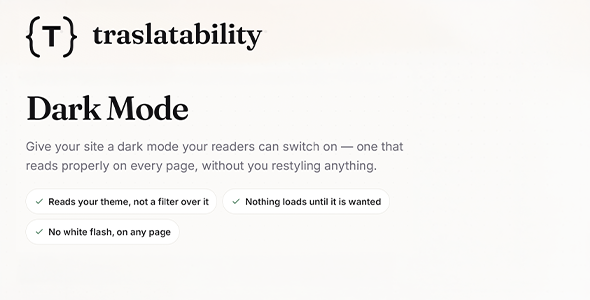
Traslatability Dark Mode adds a visitor-controlled dark mode to WordPress by reading your theme’s existing styles, recolouring pages intelligently, preventing white flash, offering six contrast-checked palettes, supporting custom switch placement, and loading the full dark-mode engine only when someone actually uses it.
Built for blogs, business sites, documentation hubs, communities and content-heavy WordPress websites that want a dark mode experience that still feels like the original site, not a rough colour inversion.
Files verified TrustedSite Certified Secure
Get Traslatability Dark Mode now – instant download, big savings, and 1 full year of file updates.
One-time purchase · No coupon needed
Digital Download delivered immediatelyInstant access at checkout and via email
A growing community of builders
Big ideas. A bigger toolbox.
Authentic, hard-to-find resources, specialized collections and bundles—helping WordPress builders create more while keeping their budgets in check.
- Orders placed
- 71,500+
- Orders a day
- 40+
- Resources
- 1,900+
Add a Smarter Reader-Friendly Night Theme with Traslatability Dark Mode 🌙✨
Traslatability Dark Mode gives WordPress websites a dark mode visitors can switch on without forcing you to redesign every page manually. It reads the site’s existing styles, recolours them intelligently, and helps the dark version still feel like your actual website instead of an inverted screenshot.
For blogs, business sites, documentation hubs, communities, portfolios, membership sites and content-heavy WordPress builds, Traslatability Dark Mode is especially useful when visitors read at night, browse from dark-mode devices, or simply prefer a softer screen experience.
A Dark Mode That Still Looks Like Your Site:
- 🌙 Theme-Aware Recolouring: Reads the styles already used by your WordPress theme and adjusts colours element by element instead of applying a rough visual filter over the page.
- 🎨 Six Built-In Palettes: Choose from Ink, Slate, True Black, Warm, Midnight and Forest, with each palette designed to keep text readable.
- 🖌️ Editable Colours: Adjust the main colours after choosing a palette so the final dark mode can better match your brand.
- 🖼️ Media-Friendly Output: Helps photographs, buttons and designed elements remain recognizable instead of turning the page into a harsh inverted image.
- 🧩 Light Hand-Tuning: Use exceptions for items that need special handling, such as logos, brand assets or design details that should not be recoloured the same way as text.
Built for a Smooth Visitor Experience:
- ⚡ No White Flash: Sends a tiny early colour setup before the first page paint, so returning dark-mode visitors do not see a bright page flash before dark mode loads.
- 📦 Loads Only When Needed: Visitors who keep the site in light mode only download a very small amount of code, while the full recolouring engine loads when someone actually chooses dark mode.
- 🔁 Remembers the Visitor’s Choice: When someone chooses dark mode, future pages can open in the selected appearance without making the visitor reselect it every time.
- 🔗 Dark Mode Links: Add
?dark=1to a page URL so a specific link opens directly in dark mode before the first paint. - ⌨️ Keyboard Shortcut Option: Allow a keyboard shortcut for switching modes while avoiding shortcuts when someone is actively typing.
Flexible Switch Placement:
- 🔘 Customizable Switch: Choose from multiple switch shapes, corner styles, wording and colour options.
- 📍 Place It Where It Belongs: Add the switch to a header, menu, footer, sidebar or other layout area using placement options, a block or a shortcode.
- 🙈 Hide the Default Switch: Keep the interface clean by hiding the built-in switch and placing your own where it fits the site design better.
- ♿ Screen Reader Labeling: The switch can say what it does clearly for screen readers, which makes the control easier to understand.
Where Traslatability Dark Mode Makes the Most Sense:
- 📝 Blogs & Editorial Sites: Give readers a more comfortable night-reading option for long articles, tutorials and resource pages.
- 🏢 Business Websites: Add a polished dark-mode option without rebuilding the site’s entire design system.
- 🎓 Course & Documentation Sites: Support longer reading sessions where a softer display option can make content easier to stay with.
- 👥 Communities & Membership Sites: Let logged-in users and repeat visitors choose the visual mode that feels better for regular browsing.
- 🎨 Brand-Conscious Sites: Use palettes and exceptions to avoid the messy “everything got inverted” look that can make logos, buttons and images feel broken.
Our Take:
Traslatability Dark Mode is strongest when a site needs dark mode to feel intentional, not bolted on. The important detail is that it reads the theme’s own styles and recolours the page from there, which makes it more useful for real WordPress sites than a simple blanket filter.
The “no white flash” behavior also matters more than it sounds. A dark mode that flashes bright white before loading feels unfinished, especially at night. Traslatability Dark Mode focuses on that first-paint experience, so the visitor’s choice feels immediate instead of patched in after the page has already shouted at their eyes.
Good to Know Before Using Traslatability Dark Mode:
- ✅ Best for Existing Designs: A good fit when you want to add dark mode to an existing WordPress site without manually restyling every template.
- ✅ Useful for Reader Comfort: Helpful for sites with articles, documentation, tutorials, lessons, account areas or other pages people spend time reading.
- ✅ Multisite Compatible: Works with WordPress multisite setups, making it useful for networks and client environments.
- ✅ Compatibility Notes: Designed for WordPress 6.0 to 7.1 and PHP 8.0+.
- ⚠️ Not a Full Accessibility Replacement: Dark mode can improve comfort and readability for many visitors, but it should not be treated as a replacement for proper accessibility work, semantic structure and good contrast across the whole site.
If your WordPress site looks good in the daytime but turns into a flashlight at night, Traslatability Dark Mode gives visitors a cleaner way to read, browse and stay on the site in a visual mode that feels calmer, faster and more intentional.
Real experiences. Shared with care.
Feedback from our builders.
Sign in to leave a rating or review.
Sign in to review