
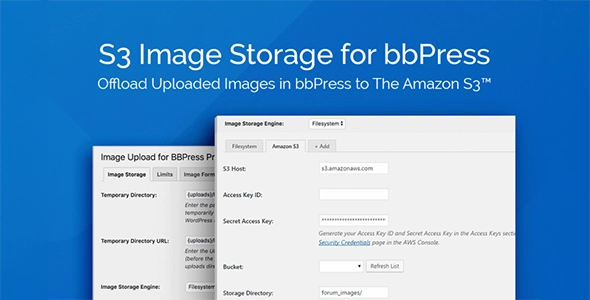
S3 Image Storage for bbPress
- Current version: 1.0.9
- Updated on January 21, 2026
- Publisher: BerryPress
Works with the Image Upload for bbPress Pro plugin to store images on Amazon S3, reducing storage and bandwidth usage.
- One low price
- Original file(s) by BerryPress
- 1 year of updates
- Use on unlimited sites
- Fast, clean downloads
$29.00 Original price was: $29.00.$8.00Current price is: $8.00.
- Digital Download delivered immediately at checkout and via email (instant access)
- Files verified TrustedSite Certified Secure
🚀 Serving over 40 orders a day to our loyal client-base and rising
With more than +1.000 authentic, hard-to-find resources along with specialized collections and bundles, we offer web designers and developers the ultimate tools to stand out in an increasingly demanding market. 🔥 Experience ease of mind with a great client experience and unleash your full creative potential without sacrificing your budget – here with Theme Canal, the ultimate platform you can call your home.
Want it all?
Instantly get access to every premium extension, theme and plugin on Theme Canal, including all updates from just $20/month! Reoccurring and non-reoccurring plans available!
Outdated file or add-ons
If you suspect the listed file version 1.0.9 is inaccurate or outdated, kindly avoid submitting a ticket. Instead, click “Request Update ” on this page, and we’ll promptly provide the most recent version. 😊Note: The Product is Activated.
Offload Forum Images to the Cloud with S3 Image Storage for bbPress ☁️
S3 Image Storage for bbPress is a performance-focused add-on designed to help bbPress forums handle image uploads more efficiently. Instead of storing user-uploaded images directly on your WordPress server, it routes them to Amazon S3, reducing disk usage and easing bandwidth strain on your hosting environment.
Built to work alongside Image Upload for bbPress Pro, S3 Image Storage for bbPress gives forum administrators a practical way to scale image-heavy discussions without worrying about storage limits or server load.
Why Store Forum Images on Amazon S3
- 📉 Reduce Server Storage: Move uploaded images out of your WordPress install and into dedicated S3 buckets.
- ⚡ Improve Performance: Images are served directly from Amazon S3, lowering resource usage on your web server.
- 📈 Scale with Confidence: Ideal for active forums with frequent image uploads.
Designed as an Image Upload for bbPress Pro Extension
S3 Image Storage for bbPress is not a standalone plugin. It extends the Image Upload for bbPress Pro workflow by adding Amazon S3 as a storage engine option.
- 🧩 Seamlessly integrates into existing image upload settings
- 🔗 Maintains compatibility with forum image attachments
- 🛠️ Keeps your bbPress posting experience unchanged for users
Simple Amazon S3 Configuration
- 🔐 Enter Amazon S3 account credentials directly in the plugin settings
- 🗂️ Choose your target S3 bucket and storage directory
- 🔄 Select Amazon S3 as the active image storage engine
- ✅ Activate and start storing forum images off-server
Built for Forum Administrators
- 🧠 Clear configuration options inside the WordPress admin
- 📦 No changes required to existing forum content
- 🔍 Transparent image handling once enabled
If your bbPress forum relies heavily on image uploads and you want to reduce hosting strain while keeping performance steady, S3 Image Storage for bbPress provides a focused, infrastructure-friendly solution built specifically for that purpose.
Disclaimer: We are not BerryPress or affiliated with them. This product, developed by BerryPress and its affiliates, is released under the GPL license.
We offer accessible documentation but no license keys or product support. For automatic updates and author support, consider purchasing from BerryPress directly.
This product comes with access to one year of file updates that can be easily managed through your WP Admin Dashboard. To download the updated file, simply access your account area. You have the flexibility to manually install the updates within the provided timeframe, ensuring that your files remain up to date.
If you have any concerns regarding this, please do not hesitate to contact us.
Sorry, no reviews match your current selections