
Image Map Pro for WordPress
- Current version: 6.1.13
- Updated on September 8, 2026
- Publisher: CodeCanyon
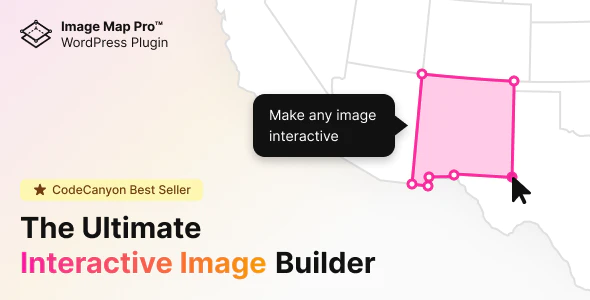
Turn any image into a clickable, interactive experience. Image Map Pro for WordPress lets you add custom pins, SVG shapes, polygon hotspots, and rich tooltips to floor plans, product photos, world maps, and infographics — no coding required, with 50+ pre-built maps and a full JavaScript API included.
- One low price
- Original file(s) by CodeCanyon
- 1 year of updates
- Use on unlimited sites
- Fast, clean downloads
$49.00 Original price was: $49.00.$15.00Current price is: $15.00.
- Digital Download delivered immediately at checkout and via email (instant access)
- Files verified TrustedSite Certified Secure
🚀 Serving over 40 orders a day to our loyal client-base and rising
With more than +1.000 authentic, hard-to-find resources along with specialized collections and bundles, we offer web designers and developers the ultimate tools to stand out in an increasingly demanding market. 🔥 Experience ease of mind with a great client experience and unleash your full creative potential without sacrificing your budget – here with Theme Canal, the ultimate platform you can call your home.
Want it all?
Instantly get access to every premium extension, theme and plugin on Theme Canal, including all updates from just $20/month! Reoccurring and non-reoccurring plans available!
Outdated file or add-ons
If you suspect the listed file version 6.1.13 is inaccurate or outdated, kindly avoid submitting a ticket. Instead, click “Request Update ” on this page, and we’ll promptly provide the most recent version. 😊🗺️ Turn Any Image into an Interactive Experience with Image Map Pro for WordPress
A static image shows your audience something. Image Map Pro for WordPress makes them interact with it. Add custom pins, SVG shapes, polygon hotspots, and rich tooltips to any image — floor plans, product photos, world maps, infographics, seating charts, office layouts, or anything else — using a feature-rich drag-and-drop editor that requires zero coding. One of the most trusted interactive image map builders on CodeCanyon, with a decade of active development behind it.
What’s Included:
- 🖱️ Drag & Drop Visual Editor — A fully self-contained web app editor built into WordPress. Draw shapes, place pins, and configure tooltips directly on your image with an intuitive interface built for both beginners and advanced users.
- 🔷 Custom SVG Shapes & Polygons — Draw precise custom polygon shapes directly on the image — no Illustrator or external design tools needed. Circles, rectangles, and complex freehand polygons all supported, with zoom for maximum precision.
- 📍 Pins & Hotspots — Place location pins anywhere on your image and combine multiple shapes and pins into a single interactive map.
- 💬 Rich Tooltip Builder (Squares) — The built-in “Squares” content builder lets you add rich content to tooltips — text, images, video, YouTube embeds, buttons, and a 12-column Bootstrap-style grid layout. Tooltips trigger on hover or click.
- 🗺️ 50+ Pre-Built Country & World Maps — A library of over 50 ready-to-use maps covering countries with regions, continents, and the world — all fully customisable and ready to deploy.
- 🔣 600+ FontAwesome SVG Icons — A built-in icon library of over 600 high-quality FontAwesome SVG icons, resizable and colourable. Custom icons also supported.
- 🏢 Multi-Floor / Multi-Level Support — Create multi-floor building maps, multi-level diagrams, or tabbed image maps where visitors click to switch between levels or views.
- 📱 Fully Responsive — All image maps scale and reflow cleanly across desktop, tablet, and mobile devices without distortion or broken hotspots.
- 🔌 JavaScript & HTML API — A full API for developers to highlight objects, show/hide tooltips, trigger floor changes, zoom programmatically, and add custom functionality beyond the editor’s built-in options.
- 📤 Import & Export — Export and import image map configurations for easy migration, backup, or sharing between sites.
- ⚡ Lightweight Editor (Svelte-Based) — The editor was rebuilt from scratch in v6.0 using Svelte as the front-end framework — fast, performant, and noticeably lighter than legacy jQuery-based builders.
Popular Use Cases:
- 🏠 Interactive Floor Plans — Real estate, office spaces, and venue layouts where visitors click rooms or areas to get details.
- 🛍️ Product Showcases — Highlight individual product features on a photo with labelled hotspots — ideal for WooCommerce product images.
- 🌍 Geographic & Travel Maps — Country and region maps for travel guides, franchise locators, and distribution visualisations.
- 📊 Clickable Infographics — Turn static data visualisations into layered interactive content with contextual tooltips.
- 🎓 Educational Diagrams — Anatomy charts, historical maps, science diagrams, and annotated illustrations for eLearning content.
- 🎪 Seating & Venue Maps — Event venues, stadiums, and concert halls where visitors select seats or sections.
Why Image Map Pro for WordPress?
- The most capable image map builder on WordPress: Custom polygon drawing, multi-floor support, a full content builder for tooltips, a JavaScript API, and 50+ pre-built maps — no comparable plugin comes close to this feature depth.
- No coding required for any core feature: The drag-and-drop editor handles everything visually. The API is there for developers who want to go further, but it’s completely optional.
- A decade of active development: Image Map Pro for WordPress has been continuously improved for over 10 years — the feature set reflects real user feedback across thousands of projects.
Disclaimer: We are not CodeCanyon or affiliated with them. This product, developed by CodeCanyon and its affiliates, is released under the GPL license.
We offer accessible documentation but no license keys or product support. For automatic updates and author support, consider purchasing from CodeCanyon directly.
This product comes with access to one year of file updates that can be easily managed through your WP Admin Dashboard. To download the updated file, simply access your account area. You have the flexibility to manually install the updates within the provided timeframe, ensuring that your files remain up to date.
If you have any concerns regarding this, please do not hesitate to contact us.
Sorry, no reviews match your current selections