
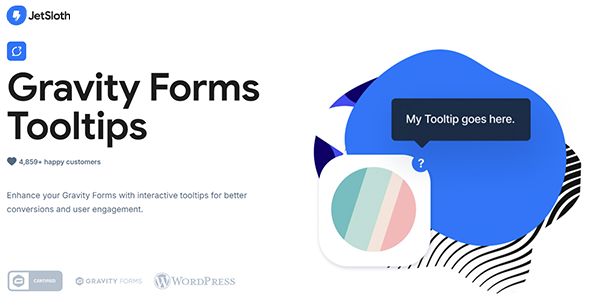
Gravity Forms Tooltips
- Current version: 1.2.16
- Updated on October 2, 2026
- Publisher: JetSloth
Add clear, customizable tooltips to any Gravity Forms field to guide users in real time. Style globally or per form, include rich HTML or media, and reduce errors so more visitors complete your forms with accurate data.
- One low price
- Original file(s) by JetSloth
- 1 year of updates
- Use on unlimited sites
- Fast, clean downloads
$29.00 Original price was: $29.00.$8.00Current price is: $8.00.
- Digital Download delivered immediately at checkout and via email (instant access)
- Files verified TrustedSite Certified Secure
🚀 Serving over 40 orders a day to our loyal client-base and rising
With more than +1.000 authentic, hard-to-find resources along with specialized collections and bundles, we offer web designers and developers the ultimate tools to stand out in an increasingly demanding market. 🔥 Experience ease of mind with a great client experience and unleash your full creative potential without sacrificing your budget – here with Theme Canal, the ultimate platform you can call your home.
Want it all?
Instantly get access to every premium extension, theme and plugin on Theme Canal, including all updates from just $20/month! Reoccurring and non-reoccurring plans available!
Outdated file or add-ons
If you suspect the listed file version 1.2.16 is inaccurate or outdated, kindly avoid submitting a ticket. Instead, click “Request Update ” on this page, and we’ll promptly provide the most recent version. 😊Guide Users In-Line with Gravity Forms Tooltips 💡📝
Help visitors complete forms accurately the first time. Gravity Forms Tooltips adds context-aware hints to any field, lowering confusion, reducing errors, and improving completion rates across registrations, applications, surveys, and more.
Key Features:
- 🖊️ Tooltips for Every Field: Works with all core Gravity Forms field types for consistent guidance.
- ✅ Choices Covered: Add tips to labels, checkboxes, and radio options.
- 🎨 Custom Styling: Control icons, font sizes, colors, and override with custom CSS.
- 🖼️ Rich Content: Use images, GIFs, HTML, and even iframes inside tooltips for visual clarity.
- ⚙️ Global & Per-Form Settings: Set defaults site-wide or fine-tune per form.
- 🤝 Plays Nicely with JetSloth: Seamless alongside Collapsible Sections, Image Choices, and Color Picker.
Why Choose Gravity Forms Tooltips?
- Better UX on the Spot: Users get help exactly where they need it.
- Cleaner Data: Fewer mistakes and resubmissions mean more reliable entries.
- Higher Conversions: Clear guidance keeps users moving toward submit.
Add clarity to every step with Gravity Forms Tooltips — small hints, big impact.
Disclaimer: We are not JetSloth or affiliated with them. This product, developed by JetSloth and its affiliates, is released under the GPL license.
We offer accessible documentation but no license keys or product support. For automatic updates and author support, consider purchasing from JetSloth directly.
This product comes with access to one year of file updates that can be easily managed through your WP Admin Dashboard. To download the updated file, simply access your account area. You have the flexibility to manually install the updates within the provided timeframe, ensuring that your files remain up to date.
If you have any concerns regarding this, please do not hesitate to contact us.
Sorry, no reviews match your current selections