
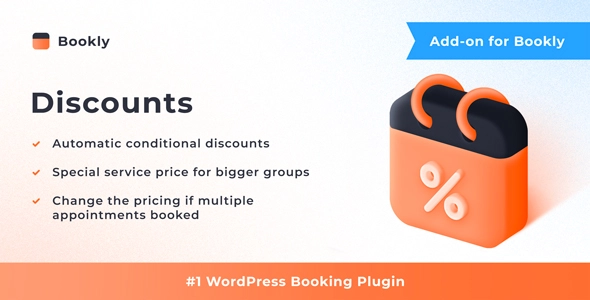
Bookly Discounts (Add-on)
- Current version: 2.3
- Updated on September 2, 2026
- Publisher: CodeCanyon / Bookly
Encourage customer loyalty and drive more bookings with Bookly Discounts—a smart add-on for applying dynamic, rule-based discounts in your appointment scheduling system.
❕Important: This plugin is an add-on that requires the Bookly PRO installed and activated.
- One low price
- Original file(s) by CodeCanyon / Bookly
- 1 year of updates
- Use on unlimited sites
- Fast, clean downloads
$29.00 Original price was: $29.00.$8.00Current price is: $8.00.
- Digital Download delivered immediately at checkout and via email (instant access)
- Files verified TrustedSite Certified Secure
🚀 Serving over 40 orders a day to our loyal client-base and rising
With more than +1.000 authentic, hard-to-find resources along with specialized collections and bundles, we offer web designers and developers the ultimate tools to stand out in an increasingly demanding market. 🔥 Experience ease of mind with a great client experience and unleash your full creative potential without sacrificing your budget – here with Theme Canal, the ultimate platform you can call your home.
Want it all?
Instantly get access to every premium extension, theme and plugin on Theme Canal, including all updates from just $20/month! Reoccurring and non-reoccurring plans available!
Outdated file or add-ons
If you suspect the listed file version 2.3 is inaccurate or outdated, kindly avoid submitting a ticket. Instead, click “Request Update ” on this page, and we’ll promptly provide the most recent version. 😊Boost Appointment Bookings with Bookly Discounts 💰📅
Encourage more bookings and reward loyal customers with Bookly Discounts—a powerful add-on for the popular Bookly appointment scheduling plugin. Whether you’re running a salon, spa, clinic, or any service-based business, this feature-rich extension helps you create attractive discount strategies that drive customer retention and increase revenue.
Key Features of Bookly Discounts:
- 🎯 Flexible Discount Rules – Set percentage or fixed price discounts based on booking count, service category, or appointment frequency.
- 📆 Recurring Customer Rewards – Automatically apply discounts for repeat clients to build loyalty and encourage regular bookings.
- 🧾 Coupon-Free Discounts – No need for promo codes—discounts apply instantly based on the rules you define.
- 🔧 Customizable Criteria – Set specific conditions such as minimum bookings, date ranges, or service types to tailor discounts precisely.
- 📊 Increase Average Order Value – Motivate customers to book multiple sessions in advance to take advantage of tiered savings.
- 👥 Enhance Customer Satisfaction – Offer exclusive deals that make clients feel valued and keep them coming back.
Why Choose Bookly Discounts Add-on?
- ✅ Smart Incentive Tool – Use discount logic to influence customer behavior and booking habits.
- ✅ Perfect for Seasonal Promotions – Easily create time-limited deals or bundle discounts for holiday offers.
- ✅ Seamless Integration – Works smoothly within the existing Bookly interface for a streamlined admin experience.
Level up your appointment-based business with Bookly Discounts—an easy way to reward customers and increase sales, all while keeping your booking flow smooth and efficient. 📈🎁
Disclaimer: We are not CodeCanyon / Bookly or affiliated with them. This product, developed by CodeCanyon / Bookly and its affiliates, is released under the GPL license.
We offer accessible documentation but no license keys or product support. For automatic updates and author support, consider purchasing from CodeCanyon / Bookly directly.
This product comes with access to one year of file updates that can be easily managed through your WP Admin Dashboard. To download the updated file, simply access your account area. You have the flexibility to manually install the updates within the provided timeframe, ensuring that your files remain up to date.
If you have any concerns regarding this, please do not hesitate to contact us.
Sorry, no reviews match your current selections