
MotoPress Appointment Booking Twilio SMS
- Current version: 1.0.2
- Updated on February 17, 2026
- Publisher: MotoPress
MotoPress Appointment Booking Twilio SMS adds automated text reminders and notifications to your booking system. Reduce no-shows, confirm appointments, and keep clients and staff instantly informed.
Note: MotoPress Appointment Booking is required.
- One low price
- Original file(s) by MotoPress
- 1 year of updates
- Use on unlimited sites
- Fast, clean downloads
$59.00 Original price was: $59.00.$15.00Current price is: $15.00.
- Digital Download delivered immediately at checkout and via email (instant access)
- Files verified TrustedSite Certified Secure
🚀 Serving over 40 orders a day to our loyal client-base and rising
With more than +1.000 authentic, hard-to-find resources along with specialized collections and bundles, we offer web designers and developers the ultimate tools to stand out in an increasingly demanding market. 🔥 Experience ease of mind with a great client experience and unleash your full creative potential without sacrificing your budget – here with Theme Canal, the ultimate platform you can call your home.
Want it all?
Instantly get access to every premium extension, theme and plugin on Theme Canal, including all updates from just $20/month! Reoccurring and non-reoccurring plans available!
Outdated file or add-ons
If you suspect the listed file version 1.0.2 is inaccurate or outdated, kindly avoid submitting a ticket. Instead, click “Request Update ” on this page, and we’ll promptly provide the most recent version. 😊Automate Smart SMS Reminders with MotoPress Appointment Booking Twilio SMS 📲⏰
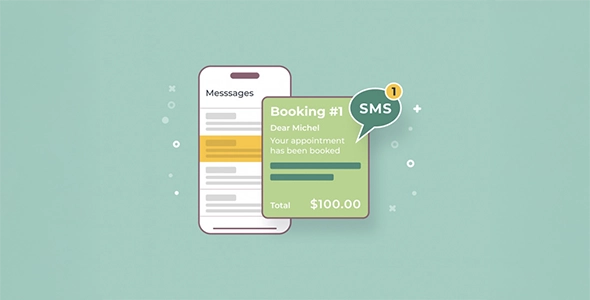
MotoPress Appointment Booking Twilio SMS extends your MotoPress Appointment Booking system with automated SMS notifications powered by Twilio. Instead of relying only on email, you can instantly reach customers and employees with timely text messages that keep appointments on track.
This addon adds reliable, customizable SMS communication before and after bookings—helping reduce no-shows, confirm payments, and keep everyone informed without manual follow-ups.
Send SMS Before & After Appointments:
- 📅 Appointment Confirmations: Automatically notify clients when a booking is confirmed.
- ❌ Cancellation Alerts: Send instant updates if an appointment is canceled or modified.
- 💳 Payment Notifications: Trigger SMS after successful payment completion.
- ⏱️ Custom Timing Rules: Set messages to send hours or days before or after appointments.
Flexible Twilio Sending Options:
- 📞 Use Your Own Verified Number: Send SMS from a Twilio-verified number.
- 📲 Twilio-Issued Numbers: Assign a dedicated Twilio phone number.
- 🔗 Messaging Service SID: Consolidate numbers and brand your messages.
- 🚀 High-Volume Shortcode Support: Send time-sensitive messages efficiently.
Reach the Right People Every Time:
- 👤 Notify Customers & Employees: Send SMS to clients, staff, admins, or custom phone numbers.
- ✍️ Editable SMS Templates: Customize content using dynamic tags for appointment details.
- 🌍 International Number Validation: Integrated global phone formatting reduces submission errors.
Advanced Controls & Reliability:
- 🧪 SMS Testing Tool: Verify configuration before going live.
- 📜 Delivery Logs: Track successful and failed SMS notifications.
- ⚙️ Preset Country Codes: Automatically apply default country codes in booking forms.
- 📱 Employee Phone Fields: Store and manage staff contact numbers directly in the system.
If your booking workflow depends on timely communication, MotoPress Appointment Booking Twilio SMS ensures important updates are delivered straight to a customer’s phone—right when they need them.
Disclaimer: We are not MotoPress or affiliated with them. This product, developed by MotoPress and its affiliates, is released under the GPL license.
We offer accessible documentation but no license keys or product support. For automatic updates and author support, consider purchasing from MotoPress directly.
This product comes with access to one year of file updates that can be easily managed through your WP Admin Dashboard. To download the updated file, simply access your account area. You have the flexibility to manually install the updates within the provided timeframe, ensuring that your files remain up to date.
If you have any concerns regarding this, please do not hesitate to contact us.
Sorry, no reviews match your current selections